Para fazer a Trend Viral do Corte de Cabelo do TikTok ou Instagram, você pode seguir os passos simples deste tutorial. Te mostro como fazer pelo computador ou celular.
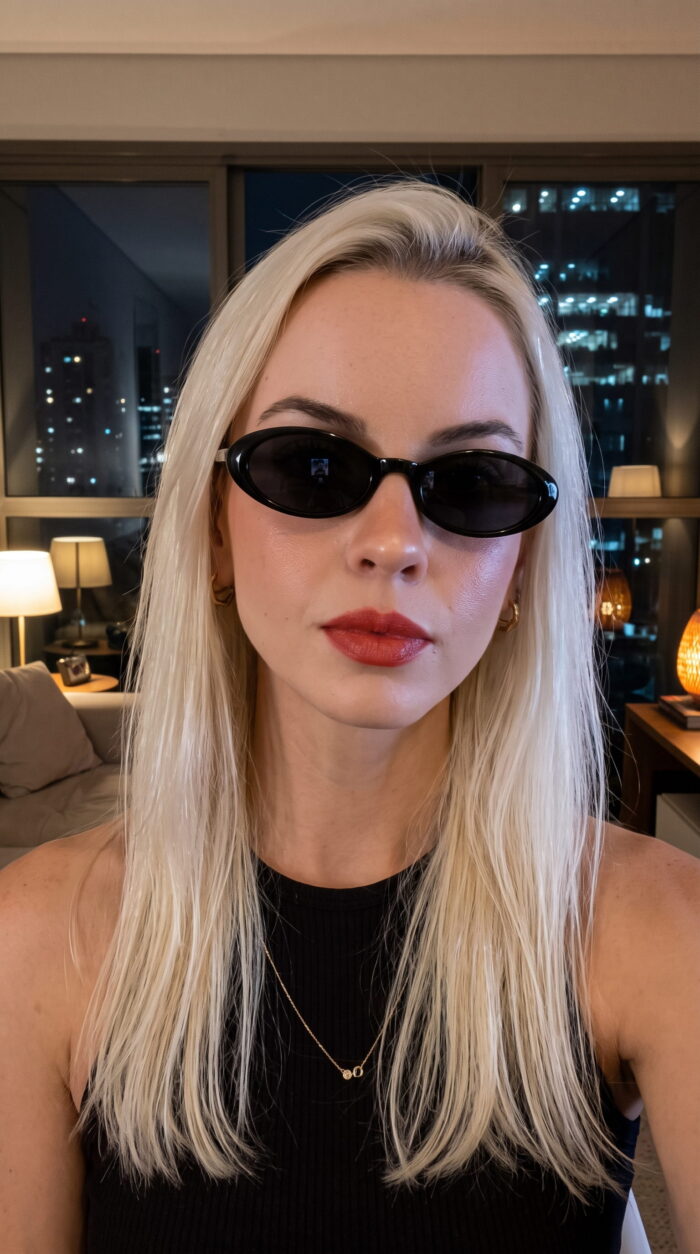
Se você for fazer pelo computador, primeiro, separe uma foto sua (Selfie). Depois, vamos precisar acessar a inteligência artificial para gerar o vídeo a partir da sua foto.
Exemplo de Imagem abaixo:
Com a foto separada, é hora de acessar a IA de geração de vídeo com prompt. Pode ser o Flow (Veo3), Grok, Sora ou aquela que você tiver disponível no seu celular.
Para este tutorial, vamos usar a IA do Google – Flow Labs, com a opção do Omni Flash.
Dentro da IA de Vídeo, agora é hora de selecionar a opção de adicionar sua imagem, e depois colocar o prompt para que ele entenda que é para fazer os efeitos de corte de cabelo em vários ângulos, mantendo as características da pessoa da foto.
Prompt Grátis para fazer Trend Viral do Corte de Cabelo com Inteligência Artificial
Ultra-realistic cinematic video, 4K resolution, 24fps, shallow depth of field.

Scene setup:
The environment MUST exactly match the original reference photo.
Replicate the same location, background elements, lighting direction, color tones, textures, and depth.
Maintain identical camera perspective, framing, and spatial composition from the reference image.
No generic studio background — the setting should feel like a natural continuation of the original photo.

Lighting:
Match the original lighting conditions precisely (natural light, indoor light, shadows, highlights, reflections).
Ensure consistent light direction and intensity across all frames.

Subject:
A woman (from the reference image) centered in frame.
STRICT REQUIREMENT: Maintain 100% exact facial identity, structure, proportions, and skin details from the reference image.
No alterations, no beautification, no distortion. Perfect facial consistency across all frames.

Shot 1 (medium close-up, frontal):
The woman looks directly into the camera with a calm expression.
She takes a deep breath and exhales naturally.

She holds realistic hair-cutting scissors.
With the other hand, she gathers a thick section of her long, straight hair.

Action:
She cuts her hair horizontally at chin level in one smooth motion.
The cut is clean and physically accurate.
Hair falls naturally with realistic gravity and motion.

Shot 2 (slight side profile close-up):
Camera shifts subtly (keeping same environment and lighting continuity).
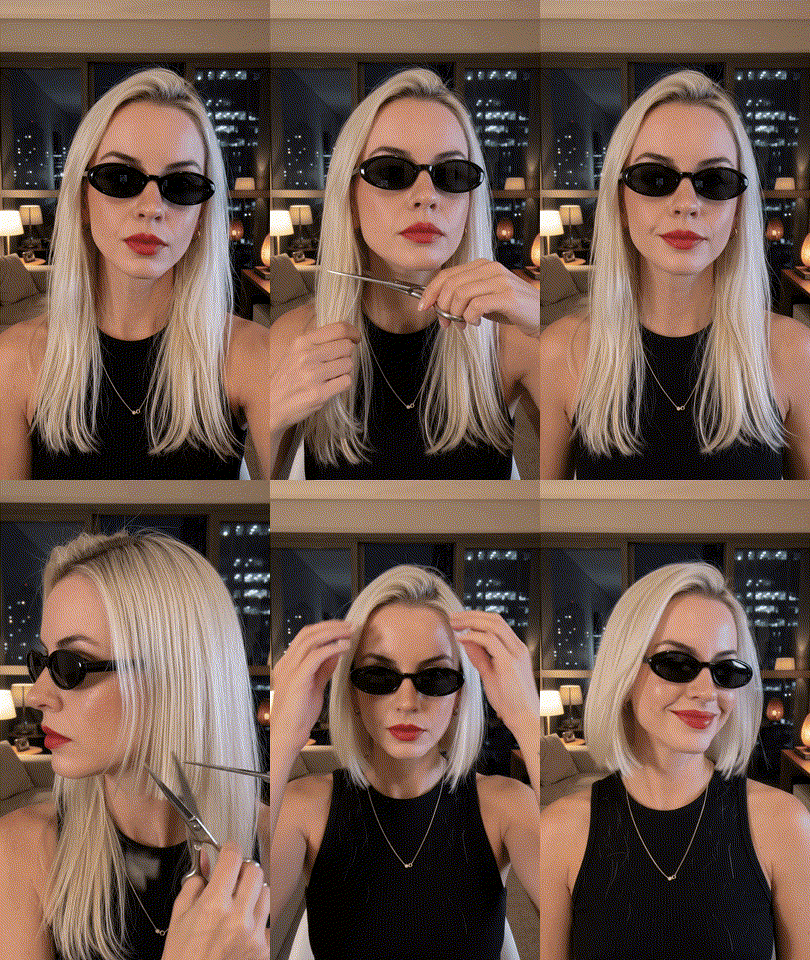
She trims and evens out the blunt bob with small precise snips.

Shot 3 (frontal medium close-up):
She runs her fingers through her short hair, styling it.
Hair moves naturally with soft motion and volume.

Final:
She smiles confidently and gently shakes her head, showing the movement of the sleek chin-length bob.

Technical requirements:
Photorealistic skin and hair, no flicker, no warping, no identity drift.
Perfect temporal consistency.
Natural motion, no artifacts.
Exemplo de Resultado da Geração do Prompt Grátis
Caso queira fazer pelo celular, siga o passo a passo a seguir.
Como fazer Trend Viral Cortando o Cabelo pelo Celular
IA do Capcut com Trend de Corte de Cabelo
No aplicativo do Capcut em seu celular, selecione a opção de Modelos e depois escolha a Trend Viral do Corte de cabelo. Basta adicionar sua foto e depois colocar para usar o modelo. Assim, ele vai gerar o resultado personalizado do vídeo para você.
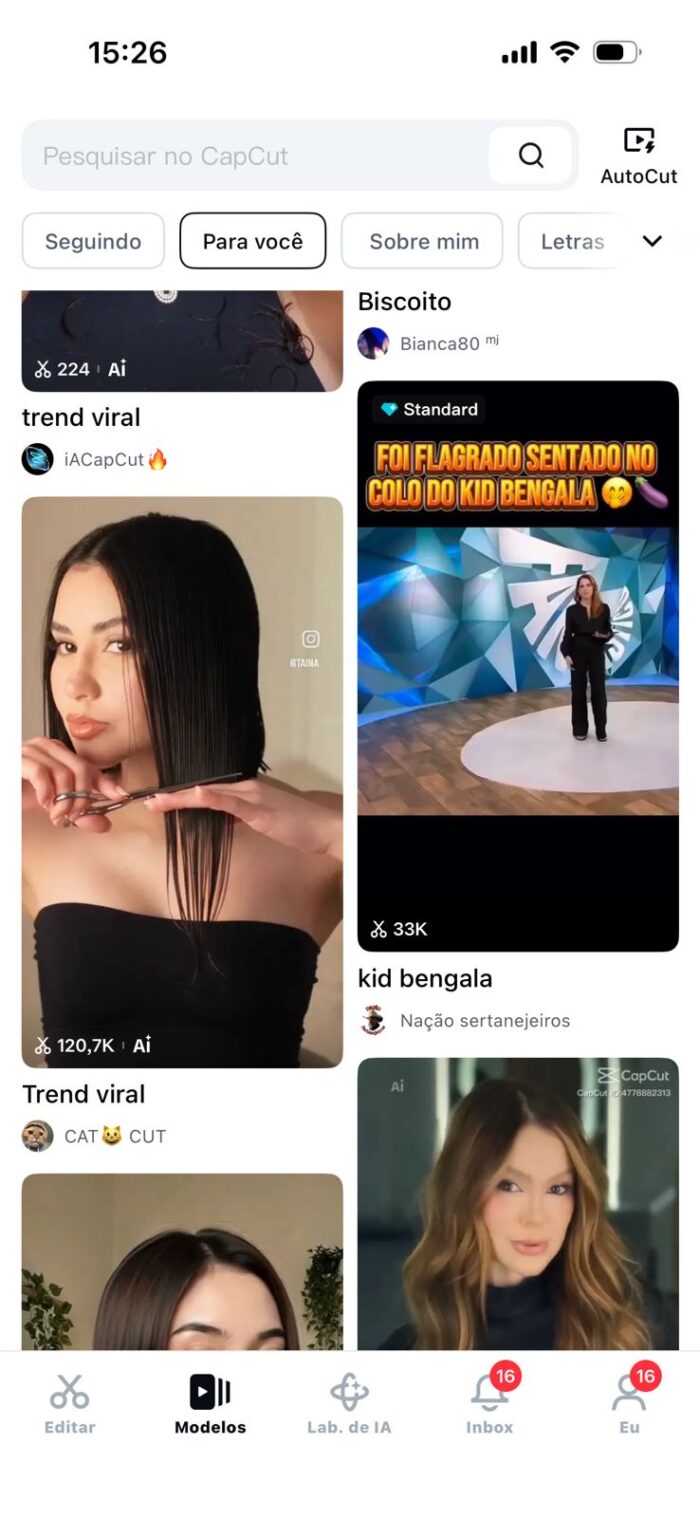
No meu teste, o Capcut deixou fazer duas gerações grátis.
Trend Viral Corte de Cabelo com APP Miu AI
Outro aplicativo que muitos estão gostando de usar é a Miu Ai. Ela tem a função nativa de gerar o efeito de corte de cabelo com inteligência artificial a partir de uma foto.
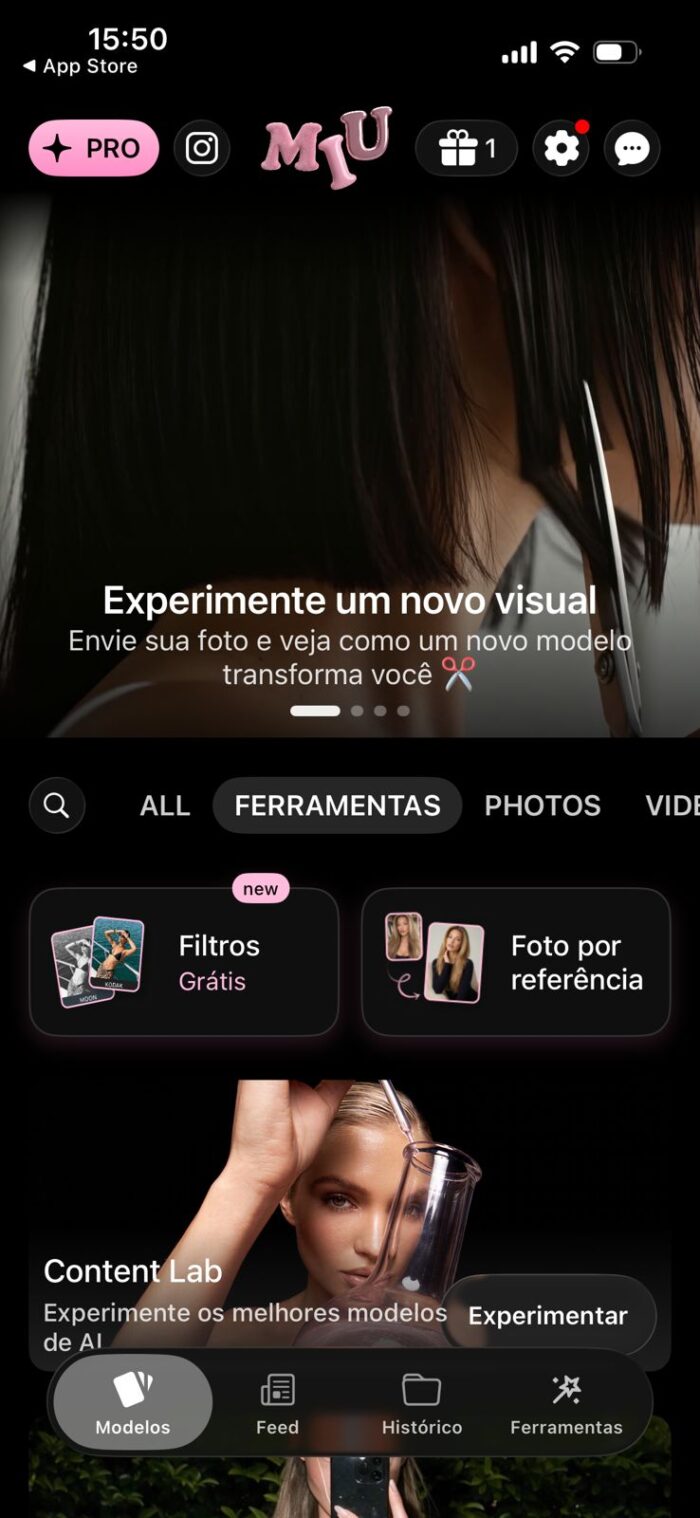
Selecione a opção modelos, e escolha “Experimente Novo Visual”. Depois, basta adicionar sua foto que ele vai reproduzir o vídeo e usar os movimentos do modelo de corte de cabelo.
No meu teste, a ferramenta não estava grátis para este tipo de edição.
Caso queira saber mais sobre isso, assista o vídeo tutorial no início da página bem explicado de como fazer.